

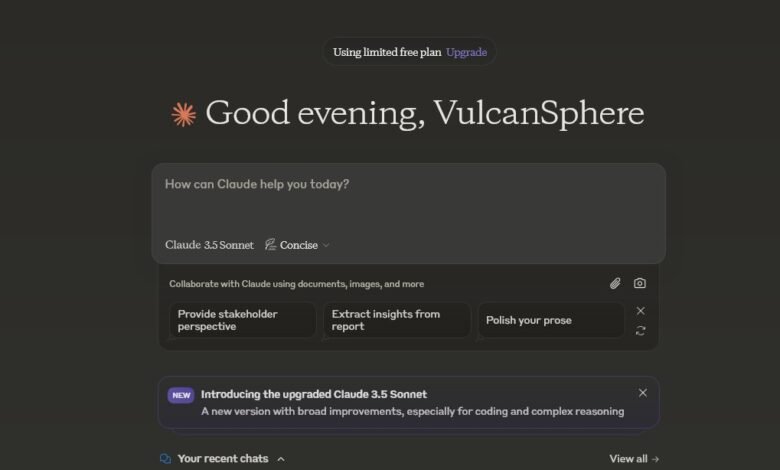
Claude AI is one of the most popular AI chatbots around, but its pricing page lists plans in US dollars — which leaves a simple question unanswered for local users: what does Claude actually cost you each month? The short answer: the free plan costs nothing, Pro is A$34 a month, and the heavy-duty Max plans start at A$170 a month. Here is the full breakdown, what each plan includes, and which one is actually worth paying for.
Quick Answer: Claude AI Pricing at a Glance
Claude is made by Anthropic and sold as a monthly or yearly subscription. When you visit the pricing page from an Australian connection, the prices show in Australian dollars and include GST. Here are the main plans:
| Plan | Price | Best for |
|---|---|---|
| Free | $0 | Trying Claude out, occasional questions |
| Pro | A$34/month, or A$340/year (about A$28.33/month) | Daily work, writing, study and coding |
| Max 5x | From A$170/month | Heavy daily users and developers |
| Max 20x | From A$340/month | Power users who live in Claude all day |
The yearly Pro option saves you A$68 over twelve monthly payments. Max plans are monthly only — there is no yearly discount on Max. Business plans (Team and Enterprise) are listed on the official pricing page in US dollars, starting at US$25 per seat per month for Team, and the checkout shows you the local price before you pay.
See the current plans on Claude’s official pricing page — prices can change, so treat this guide as a snapshot and check the checkout figure before subscribing.
What You Get on the Free Plan
The free plan is genuinely useful, not just a demo. You get access to Claude’s chat on the web, desktop and mobile apps, including its Sonnet and Haiku models, file uploads, web search and document analysis. The catch is usage: free accounts get a limited daily allowance, and once you hit it you wait for it to reset. If you only dip into Claude a few times a week for drafts, questions or quick analysis, free is probably all you need.
Claude Pro: A$34 a Month — What Changes
Pro is the plan most individuals should look at. For A$34 a month (or A$340 a year) you get:
- Much more usage than the free plan, so you stop hitting the daily limit
- Access to Claude’s most capable models, including Opus
- Claude Code, Anthropic’s coding tool, included in the subscription
- Projects, for keeping context and files together across sessions
- Research features, Claude in Chrome, and Claude in Microsoft 365
- Priority access when demand is high
The yearly option works out to about A$28.33 a month, but you pay the full A$340 up front. Only take the yearly deal once you know you will still be using Claude in six months — monthly billing is the safer first step.
Claude Max: From A$170 a Month — Who Actually Needs It
Max is Pro with the usage dialled way up. Max 5x gives you five times Pro’s usage per session, and Max 20x gives you twenty times. Both add higher output limits and priority access at peak times. These plans are built for people who use Claude Code heavily or run long, demanding sessions all day — most casual and even most professional users will never need them. If you are wondering whether you need Max, you almost certainly do not: start on Pro and only upgrade when you keep running into Pro’s limits.
Claude Team and Enterprise: For Businesses
If you are buying for a workplace, Team is the small-business option: standard seats are listed at US$25 per seat per month (US$20 per seat on yearly billing), with a premium seat tier at US$125 per seat per month for five times the usage. Team adds central billing, admin controls and single sign-on, and your team’s content is not used to train models by default. Enterprise, aimed at larger organisations, starts at US$20 per seat per month on yearly billing with a 20-seat minimum, plus usage charges, and adds audit logs, role-based access and compliance tools.
How Claude Compares to ChatGPT and Google AI Pro
Price is only part of the decision, but it helps to see the three side by side, based on prices checked from an Australian connection in October 2026:
| Plan | Monthly price | Yearly option |
|---|---|---|
| Claude Pro | A$34 | Yes — A$340/year |
| ChatGPT Plus | A$30 | No |
| Google AI Pro | A$32.99 | Not listed |
Month to month, ChatGPT Plus is the cheapest of the three. But if you commit for a year, Claude Pro at about A$28.33 a month undercuts it — and ChatGPT Plus has no yearly plan at all. Google AI Pro is the dearest on paper, but it bundles 5 TB of Google storage and YouTube Premium Lite, which changes the maths if you would pay for those anyway.
The GST and Bank Fee Details Worth Knowing
Two things quietly affect what Claude costs you. First, GST: overseas software companies must charge Australian consumers 10% GST, and Claude’s Australian-dollar prices already include it — the A$34 you see is the A$34 you pay. Second, because you are billed in Australian dollars, you avoid the currency-conversion fees banks add to US-dollar purchases (typically 3% to 3.5%). That is a real saving compared with tools that still bill in US dollars.
One warning: prices inside the iPhone or Android app can differ from the website, because app-store pricing varies. If you want the prices in this guide, subscribe on the Claude website rather than inside the app.
How to Subscribe to Claude Pro
- Go to claude.com and create a free account with your email or Google login.
- Click your profile or the upgrade option and choose Pro.
- Pick monthly (A$34) or yearly (A$340) billing and enter your card details.
- Check the total on the checkout screen — it should show Australian dollars including GST — then confirm.
Your Pro features start immediately, and the subscription renews automatically until you cancel.
How to Cancel Claude Pro
Open Claude, go to Settings, then Billing, and cancel your subscription there. You will not be charged again at the next renewal date — check the confirmation screen for exactly when your paid access ends. If you paid yearly and cancel part-way through, do not expect a refund of the unused months; yearly billing is a commitment, which is another reason to try monthly first.
Which Claude Plan Should You Pick?
- Stay on Free if you use Claude a few times a week for writing help, questions or quick analysis.
- Choose Pro if you use it daily for work, study or coding, or you keep hitting the free plan’s limits.
- Choose Pro yearly only after a month or two on monthly billing, once you are sure you will stick with it.
- Consider Max only if you are a heavy Claude Code user or you regularly exhaust Pro’s usage.
- Choose Team if you are buying for a small business that needs shared billing and admin controls.
Frequently Asked Questions
Is Claude AI free?
Yes, there is a free plan with no time limit. You get the chatbot with a daily usage allowance; paid plans remove most of those limits and add features like Claude Code and Projects.
How much is Claude Pro per month?
Claude Pro is A$34 a month including GST, or A$340 a year if you pay yearly — about A$28.33 a month. The underlying US list price is US$20 a month (US$17 a month on yearly billing).
Can I use Claude in Australia?
Yes. Claude is fully available here, and Australian accounts are shown prices in Australian dollars including GST.
Is there a cheaper Claude plan than Pro?
No. Between Free and Pro there is no budget tier. If Pro feels steep, the free plan covers a surprising amount, and you only pay when you genuinely need the extra usage.
Does Claude Pro include Claude Code?
Yes. Claude Code is included with Pro and all higher plans, so developers get the coding tool without a separate subscription.
What happens to my chats if I cancel?
Cancelling stops future billing; your account drops back to the free plan’s limits. Check the billing confirmation screen for when your paid access ends.
The bottom line: most people should start free, move to Pro at A$34 a month when the limits start getting in the way, and only look at Max or Team when their usage — or their business — genuinely demands it.