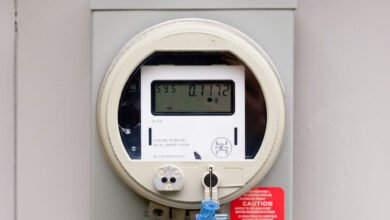


If you have ever wondered how the internet actually reaches your house, the short answer is the NBN. It is the network that carries broadband to most homes and businesses in the country, and understanding how it works makes it much easier to pick the right plan, fix a slow connection, and know who to call when something goes wrong.
In simple terms, the NBN is a wholesale broadband network. It is owned and run by NBN Co, a company owned by the Australian Government. NBN Co builds and looks after the network, but it does not sell internet plans to households. Instead, retail providers like Telstra, Optus, Aussie Broadband and dozens of smaller providers buy access from NBN Co and sell it to you as a plan. That split is the key to almost everything about how the NBN works.
How Does NBN Work, Step by Step?
The journey from the wider internet to your living room has a few clear steps:
- The backbone. A fibre-optic backbone runs across the country, carrying data between cities and towns at very high speeds.
- Local distribution. From the backbone, the network branches out to local distribution points in your area.
- The last leg to your home. From that local point, a connection technology brings the service the final distance to your premises. This is where homes differ — some get fibre all the way, others get a mix of fibre and copper, and some get wireless or satellite.
- The NBN box. Inside your home, the connection ends at a Network Termination Device (NTD), the white wall-mounted box most people call “the NBN box”. It marks the boundary between NBN Co’s network and yours.
- Your modem. Your modem or router plugs into the NTD and shares the connection around your home over Wi-Fi or Ethernet cables.
- Your provider. Your retail provider manages your plan, your speed, your bill and your support calls. If the internet stops working, your provider is the first call — not NBN Co.
So when your internet is slow, the problem can sit in any of these steps: the network, the line to your house, your modem, your Wi-Fi, or your provider’s capacity. Our guide to fixing a slow NBN connection walks through how to work out which one it is.
The 7 Types of NBN Connection
Because the network was built with a mix of technologies, not every home connects the same way. Your address decides which type you have — you do not get to choose. Here are the seven, from best to worst:
1. Fibre to the Premises (FTTP)
Fibre-optic cable runs all the way from the network to your home. This is the best type by a clear margin: the highest speeds, the most reliable connection, and no copper to slow things down. It supports every speed tier, including the fastest NBN 1000 and NBN 2000 plans.
2. Hybrid Fibre-Coaxial (HFC)
Fibre runs to a node in your street, then the old pay-TV coaxial cable carries the signal into your home. HFC is a close second to full fibre and also supports the top speed tiers.
3. Fibre to the Curb (FTTC)
Fibre runs to a small distribution point near your kerb, then a short run of copper cable finishes the trip to your home. The copper section is short, so speeds stay strong.
4. Fibre to the Building (FTTB)
Mainly for apartments and offices. Fibre runs to a central point in the building, such as a communications room, and the building’s existing wiring connects each unit.
5. Fibre to the Node (FTTN)
Fibre runs to a street cabinet (the node), and the existing copper phone line carries the signal the rest of the way. The longer the copper run, the slower and less reliable the connection can be. This is the type most likely to struggle with higher speeds.
6. Fixed Wireless
Used where cables are not practical. A radio signal travels from an NBN tower to a small antenna on your roof. It works well in regional areas, though speeds can dip in bad weather or at busy times.
7. Sky Muster Satellite
For remote homes where no other option reaches. A satellite beams the connection to a dish on your roof. It works, but it has higher delays (latency) and stricter data limits than every other type.
If you are not sure which type you have, you can check your address on the NBN Co website. It will tell you your connection type and which speed tiers are available at your place.
Who Sells You NBN?
This is the part that confuses most people. NBN Co is a wholesaler. It sells network access to retail service providers, and those providers sell plans to you. That is why you never buy a plan from NBN Co directly, and why you have so many providers to choose from.
The split also decides who fixes what:
- NBN Co looks after the network itself — the cables, the nodes, the NTD box and the line to your home.
- Your provider looks after your plan, your speed, your modem, your bill and your support. Your provider also buys enough network capacity to serve its customers, which is one reason the same NBN connection can feel faster with one provider than another.
If a fault sits in NBN Co’s part of the network, your provider arranges the technician visit. You do not need to contact NBN Co yourself.
What Speeds Can NBN Deliver?
NBN plans are sold in speed tiers, named by their maximum download speed in megabits per second (Mbps): NBN 25, NBN 50, NBN 100, NBN 250, NBN 1000 and NBN 2000. NBN 50 is the most popular tier and suits most households. The top tiers (NBN 250 and above) are only available on FTTP and HFC connections.
Real-world speeds are close to the plan speed for most fixed-line homes. The ACCC’s final Measuring Broadband Australia report, released in June 2026, found that fixed-line NBN services averaged 99.4% of their plan speed during busy evening hours. The gap between what you pay for and what you get usually comes from your connection type, your provider’s capacity, or your home Wi-Fi — not from the NBN itself.
If you are not sure which tier fits your household, our guide on what speed NBN you need breaks it down by household size and what you do online.
How Do You Get Connected?
Getting connected is straightforward:
- Check your address on the NBN Co website to see your connection type and available speed tiers.
- Pick a provider and a plan that matches your speed needs and budget. If you want a head start, see our picks for the best NBN plans for families.
- Sign up. Your provider handles the order with NBN Co. If your home is already NBN-active, activation usually takes 1 to 5 business days and is often just paperwork. If the connection has never been used, a technician visit may be needed.
- Plug in your modem. Once activated, connect your modem to the NTD (or, for FTTN, to the phone socket) and you are online.
There is usually no charge for a standard NBN installation. A fee can apply for new builds or where extra wiring or equipment is needed.
Can You Upgrade to Full Fibre for Free?
In many cases, yes. NBN Co has run a free FTTP upgrade program since 2020 for homes on FTTN, FTTC and some HFC connections. To get it, you order a higher speed tier (NBN 100 or above) from your provider, and if your address is eligible, NBN Co sends a technician to install the fibre at no cost to you. By 2026, around 2 million homes had been upgraded from FTTN to FTTP, and the program is still going.
It is worth checking even if you are happy with your current speed — full fibre removes the copper section entirely, which is the most common cause of slow and unreliable connections.
Do You Need the NBN?
If your home is NBN-ready, the answer is effectively yes. The old ADSL network has been progressively shut down as areas became NBN-ready, so older fixed-line options are no longer available in most places. The real alternatives are 5G home internet and, in rural areas, Starlink satellite. Our comparison of NBN vs 5G home internet explains when each one makes more sense.
One last thing worth knowing: you do not need a landline for the NBN. The network replaces the old copper phone network in most areas. If you still want a home phone, most providers offer an optional internet-based phone service for around $10 to $15 a month.
Frequently Asked Questions
What does NBN stand for?
National Broadband Network.
Who owns the NBN?
NBN Co Limited, which is wholly owned by the Australian Government. It was set up to design, build and operate the network as a wholesale business.
Is the NBN owned by Telstra?
No. Telstra is one of many retail providers that sells NBN services. It buys network access from NBN Co just like every other provider.
Why is my NBN slow if the network is fast?
The most common causes are a copper-based connection type (especially FTTN), peak-hour congestion at your provider, an old modem, or Wi-Fi problems inside your home. The NBN backbone itself is rarely the bottleneck.
Do I need a modem for NBN?
Yes. FTTP, FTTC, HFC and fixed wireless need a modem with an Ethernet WAN port — almost any modern Wi-Fi router will do. FTTN needs a modem with a built-in VDSL2 modem. Most providers offer a modem with their plans.
For the official word on what is available at your address and which technologies are in your area, check nbnco.com.au.