

Picking an NBN plan feels harder than it should be. The plan pages show a ladder of numbers — 25, 50, 100, 500 — and the natural instinct is to climb as high as you can afford. But speed you never use is money wasted every single month, while a plan that is too slow turns every evening into a buffering contest.
The quick answer: most households are fine on NBN 50. A single light user can get by on NBN 25. A busy family with several people streaming, gaming and working from home at the same time should look at NBN 100. The super-fast 500 Mbps plans only make sense on a fibre or HFC connection with a big household or heavy downloads — and only if your router can actually handle them.
What Speed NBN Do I Need? Pick by Household, Not by Habit
The question is not how many people live in your house. It is how many of them are online at the same time, doing what. One person streaming 4K while another is on a video call uses far more speed than four people who only check email.
| Your household | What you do online | Recommended tier |
|---|---|---|
| Just you, light use | Email, browsing, the odd video | NBN 25 |
| One or two people | HD streaming, video calls, working from home | NBN 50 |
| Family or share house of 3–4 | Several streams, gaming and calls at the same time | NBN 100 |
| Big household, heavy use | 4K on more than one TV, gaming, large downloads | NBN 500 (fibre or HFC only) |
| Power users and creators | Moving huge files, cloud backups, home business | NBN 1000 or 2000 (fibre or HFC only) |
If you are unsure, start with NBN 50. It is the sweet spot for most homes, and you can upgrade in a few minutes if it ever feels slow. Downgrading from a plan you do not need is the harder direction — most people never get around to it.
How Much Speed Does Each Activity Actually Use?
Speeds add up per stream, per device. Two people watching 4K at once need roughly double the speed of one. Here is what common activities actually need:
| Activity | Speed needed |
|---|---|
| Browsing and email | 1–5 Mbps |
| Netflix in standard definition | 3 Mbps |
| Netflix in HD | 5 Mbps |
| Netflix in 4K Ultra HD | 15 Mbps |
| Video calls (Zoom or Teams) | 1.5–3 Mbps up and down |
| Online gaming | 3–6 Mbps (ping matters more than download speed) |
| Smart home devices | 1–2 Mbps each, but they add up |
Downloads are where big numbers finally pay off. A 10 GB game update takes about 27 minutes on a 50 Mbps connection and under 3 minutes on 500 Mbps. But for streaming and video calls, the difference between 100 Mbps and 500 Mbps is one you will never notice — the stream only ever uses what it needs.
The NBN Speed Tiers, Explained Simply
There are eight residential NBN speed tiers in 2026, after NBN Co’s “Accelerate Great” upgrade in September 2025 lifted the top tiers and added a new 2000 Mbps tier. Here is the full line-up:
| Tier | Download / Upload | Best for | Available on |
|---|---|---|---|
| Home Basic I (NBN 12) | 12 / 1 Mbps | Basic browsing, one light user | All fixed-line types |
| Home Basic II (NBN 25) | 25 / 10 Mbps | One person, HD streaming | All fixed-line types |
| Home Standard (NBN 50) | 50 / 20 Mbps | Most households | All fixed-line types |
| Home Fast I (NBN 100) | 100 / 20 Mbps | Busy families | All fixed-line types |
| Home Fast II (NBN 500) | 500 / 50 Mbps | Big households, heavy use | Fibre (FTTP) and HFC only |
| Home Superfast (NBN 750) | 750 / 50 Mbps | Power users | Fibre (FTTP) and HFC only |
| Home Ultrafast (NBN 1000) | ~1000 / 100 Mbps | Creators, huge downloads | Fibre (FTTP) and HFC only |
| Home Hyperfast (NBN 2000) | 2000 / 200 Mbps | Very few homes need this | Fibre (FTTP) and HFC only |
One catch matters more than any other: if your home connects by Fibre to the Node (FTTN), Fibre to the Curb (FTTC) or Fibre to the Building (FTTB), NBN 100 is the fastest plan you can buy. The 2025 upgrade did not change that. If you want faster speeds, ask your provider whether your address qualifies for a free upgrade to full fibre — many FTTN and FTTC homes now do.
Ignore the Headline Number — Check the Evening Speed Label
The number in a plan’s name is a wholesale speed, not a promise. What you actually get between 7pm and 11pm — the busy period, when everyone in your street is online — is what matters. The ACCC tells providers to advertise that busy-period speed using one of four official labels:
| ACCC label | Speed between 7pm and 11pm | Typical use |
|---|---|---|
| Basic Evening Speed | Less than 15 Mbps | Web browsing, email |
| Standard Evening Speed | At least 15 Mbps | HD video streaming plus web browsing |
| Standard Plus Evening Speed | At least 30 Mbps | 4K video streaming plus music streaming |
| Premium Evening Speed | At least 60 Mbps | 4K video streaming plus online gaming |
Every provider must give you a Key Facts Sheet before you sign up, and the evening speed label is on it. Compare that label — not the plan name — when you shop around. A plan called NBN 100 with a Standard Plus label will feel slower in the evening than a cheaper NBN 50 plan carrying a Premium label. The regulator itself has warned that many households would get better value from a cheaper 25 Mbps or 50 Mbps plan than from paying for speed they never use, and the ACCC’s final broadband report in June 2026 found fixed-line NBN homes were getting 99.4% of their plan speed during busy hours — so a good plan really does deliver what it says. Read the official guidance on the ACCC broadband speeds page.
Three Things That Can Cap Your Speed, Whatever Plan You Buy
1. Your connection type. Fibre to the Premises and HFC can reach the top tiers. FTTN, FTTC and FTTB top out at NBN 100, and on FTTN your real speed also depends on how far your home sits from the node and the quality of the copper in between.
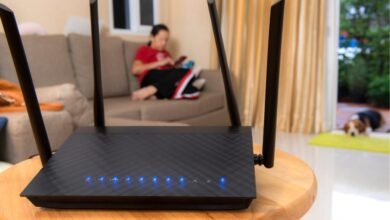
2. Your router. An old router can quietly throttle a fast plan. If you are paying for 500 Mbps but your router only supports older Wi-Fi, your devices will never see it. Before upgrading your plan, check your router supports Wi-Fi 6 (or Wi-Fi 7).
3. Wi-Fi itself. Speed tests over Wi-Fi are almost always slower than the connection itself, especially in apartments where dozens of neighbouring networks share the same airwaves. Test with an ethernet cable plugged straight into the router to see what your line is really delivering.
How to Check the Speed You Are Actually Getting
Run a speed test on a device connected by ethernet cable, in the evening between 7pm and 11pm, and compare the result with the typical evening speed on your plan’s Key Facts Sheet. If the wired result is far below what you are paying for, the problem is usually your home setup or your line — not the plan. Work through the fixes in our guide: How to Fix Slow NBN: A Simple Step-by-Step Guide.
Frequently Asked Questions
What is a good NBN speed for a family?
NBN 50 suits most families. Move up to NBN 100 if four or more people are regularly streaming, gaming and video-calling at the same time. Only consider 500 Mbps if you have a fibre or HFC connection and a very busy household.
Is NBN 100 fast enough?
Yes, for nearly every household. It handles 4K streaming on several TVs at once, video calls, gaming and large downloads. The average Australian home downloads about 574 GB a month and runs more than 25 connected devices, and NBN 100 still has room to spare for most of them.
Do I need NBN 500?
Probably not. It only helps if you regularly download very large files, back up huge amounts of data to the cloud, or have a big household where many people are online at once. For streaming and video calls, you will not feel any difference between 100 Mbps and 500 Mbps — and you can only buy it on a fibre (FTTP) or HFC connection.
What speed do I need to work from home?
NBN 50 is enough for one or two people on video calls all day. What matters more for working from home is upload speed: NBN 50 gives you 20 Mbps up, which handles HD calls and sending files. If you upload large files constantly, a fibre connection with NBN 100/40 gives you 40 Mbps up and is worth asking about.
Does upload speed matter?
Yes, more than most people realise. Upload speed is what carries your voice and video on calls, sends files to the cloud and backs up your photos. Downloads get all the attention, but a plan with a slow upload is the one that makes video calls freeze.
The Bottom Line
Match the tier to your household, not to the biggest number on the page. NBN 25 for a single light user, NBN 50 for most homes, NBN 100 for busy families — and only reach for the 500 Mbps tiers if you have fibre or HFC and genuinely heavy use. Check the ACCC evening speed label on the Key Facts Sheet before you sign up, make sure your router can keep up, and test your real speed over a cable. The right plan is the cheapest one that never makes you wait.