
Getting locked out of myGov is stressful, especially when you need to lodge a tax return, check a Centrelink payment or update your Medicare details. The good news is that most sign-in problems have a simple fix — and you usually do not need to start over.
Quick answer: Start at the official myGov site, my.gov.au, and use the sign-in help links on that page for your exact problem — forgotten username, forgotten password, a code that never arrived, or a passkey that will not work. If none of those options work, you can recover your account with a Strong myID, or create a new myGov account and link your services again.
First, check the basics
Before you reset anything, run through these quick checks. They fix more problems than you might expect.
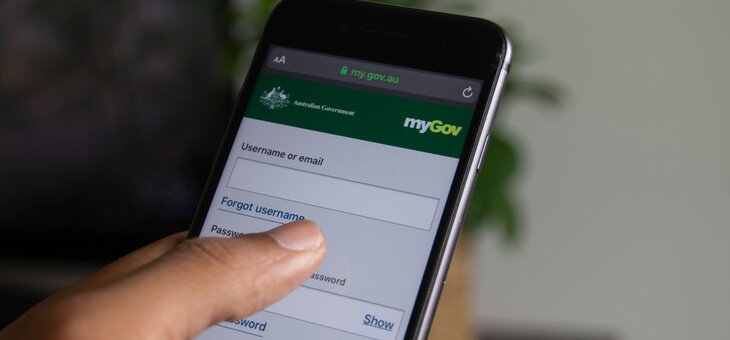
- Make sure you are on the real site. Type my.gov.au into your browser yourself, or use the official myGov app. Do not sign in through a link in an email or text message — myGov will not send you a link asking you to sign in.
- Check your caps lock and spelling. Usernames and passwords are case-sensitive, so one wrong capital letter is enough to block you.
- Try a different browser, or clear your browser cache, and turn off any VPN if you use one. A bad browser session can cause strange errors even when your details are right.
- Check that your phone has signal and is not blocking unknown numbers, if you are waiting on a text code.
I forgot my myGov username
Your username is usually the email address you used when you created your account. Try each email address you regularly use, one at a time.
If you still cannot work it out, use the sign-in help on the myGov sign-in page and follow the prompts for a forgotten username. If that does not work, call the myGov helpdesk on 132 307 and select option 1. They can help you recover access after checking your identity.
I forgot my myGov password
On the myGov sign-in page, select the forgotten password option and follow the steps shown. You will need access to the email address or phone number linked to your account to complete the reset.
Choose a new password that is long, different from your other passwords, and one you have not used for myGov before. Write it down somewhere safe, or save it in a password manager, so you do not end up locked out again.
I did not get my code by SMS
Codes can be slow, especially when the mobile network is busy. Wait a few minutes before asking for another one, because requesting several codes in a row can cause confusion about which code is the latest.
Then check these things:
- Is the mobile number on your account still your current number? If you changed numbers and never updated myGov, the code is going to your old phone.
- Is your phone blocking spam or unknown numbers? Check your blocked list and your message settings.
- Do you have signal? Try moving near a window or restarting your phone.
On the sign-in page, select the option for not receiving your code and follow the prompts. If you cannot access your old number at all, you may need to recover your account with myID (see below) or contact the helpdesk.
My passkey or authenticator is not working
If you normally sign in with a passkey, make sure you are using the same device and the same fingerprint, face ID or PIN you set the passkey up with. Passkeys are tied to that device, so they will not work the same way from a brand-new phone or computer until you set them up again.
If you use an authenticator app, check that the time on your phone is set automatically. Authenticator codes depend on the correct time, and a clock that is even a few minutes out can make every code fail.
On the sign-in page, select the option for not being able to use your sign-in option, then follow the prompts. This is also the starting point for recovering your account with Digital ID.
My myGov account is locked
If you enter the wrong sign-in details too many times, myGov can temporarily lock your account. This is a security step, and it does not mean your account has been hacked. Services Australia says lockouts can also be triggered by unusual sign-in activity, such as repeated attempts using stolen passwords from other data breaches.
If you get a lockout message:
- Stop trying to sign in for a while. More failed attempts will not help.
- Follow the recovery instructions sent to you directly by Services Australia.
- Be extra careful about scam messages while you are locked out. Do not click links in unexpected emails or texts about your account. Go to my.gov.au yourself instead.
- Once you are back in, reset your password to something new and unique, and review your sign-in options.
How to recover your account with myID
If you have a Strong myID, you can use it to recover your myGov account. Your name, date of birth and email address in myID must match the details in your myGov account, and myID must not already be connected to that myGov account.
- Go to myGov and select Sign in.
- Enter your username and password and select Sign in.
- Select the option for not being able to use your sign-in option, such as “I didn’t get my code” or “I can’t access my app”.
- Select Continue with Digital ID.
- Select myID as your identity provider.
- Enter your myID email address, then select Login.
- Log into your myID app using your password, fingerprint or face.
- Enter or accept the 4-digit code shown in your myID app.
- Review your details and select Consent.
After that, you can sign in with Digital ID next time by selecting Sign in with Digital ID on the myGov sign-in page.
If you cannot use myID
If you do not have a Strong myID, or you do not want to use Digital ID, you will need to create a new myGov account and link your services, such as the ATO, Centrelink and Medicare, to it again.
If you want to reuse the same email address for the new account, contact the myGov helpdesk first and ask them to release it. Otherwise, you can create the new account with a different email address.
When you create the new account, consider signing in with a Standard myID as well. It is a more secure sign-in option and can make linking services simpler.
Signing in from overseas
myGov sign-in can be trickier overseas, especially if your Australian phone number no longer works or you cannot receive SMS codes. Before you travel, update your sign-in options while you still have access, and add a back-up sign-in option.
If you are already overseas and locked out, you may still be able to recover your account with a Strong myID. Otherwise, call the helpdesk from overseas on +61 1300 169 468 and select option 1. International call charges apply.
Stop this happening again
Once you are back in, take five minutes to make the next sign-in easier:
- Go to My account, then Account settings, then Sign in settings, and set up a back-up sign-in option.
- Update your mobile number and email address whenever they change. An out-of-date number is the most common reason codes never arrive.
- Consider setting up a passkey or connecting Digital ID, so you are not relying on a single password and SMS code.
- Never share your myGov password, passkey or PIN with anyone, including family members.
When to call the myGov helpdesk
Call 132 307 and select option 1 if you cannot recover your account online, you need an email address released for a new account, or your password has been turned off. The helpdesk is open Monday to Friday from 7 am to 10 pm, and Saturday to Sunday from 10 am to 5 pm, in local time zones. It is closed on national public holidays.
The helpdesk can only help with your myGov account. If your problem is with a linked service itself, such as a Centrelink payment or a tax question, you will need to contact that service directly.
Frequently asked questions
Why does myGov keep saying my details are wrong?
Usually it is a small spelling or caps lock mistake, an old password, or the wrong email address as your username. Try each email you use regularly, reset your password if you are unsure, and make sure you are on my.gov.au.
Can I unlock my myGov account myself?
In many cases, yes — by following the recovery steps on the sign-in page, including recovery with a Strong myID. If those steps do not work, the helpdesk can guide you through the next step, which may be creating a new account.
What is the difference between myGov and myID?
myGov is the account you use to access government services in one place. myID is the government’s Digital ID app. You can connect myID as a myGov sign-in option, and a Strong myID can also be used to recover a myGov account.
Will I lose my linked services if I create a new myGov account?
No, your services themselves are not deleted, but you will need to link them to your new myGov account again before you can access them through myGov.