
Your electricity meter holds the one number your power bill is built on. If you can read it yourself, you can check whether a bill is right, fix an estimated bill before you pay too much, and work out exactly how much power you actually use. It takes about a minute once you know what you are looking at.
The trick is that not every meter reads the same way. A dial meter, a digital meter and a smart meter each need a slightly different approach, and the numbers you ignore matter just as much as the ones you write down. Here is how to do it, step by step.
First, find your meter and match the number
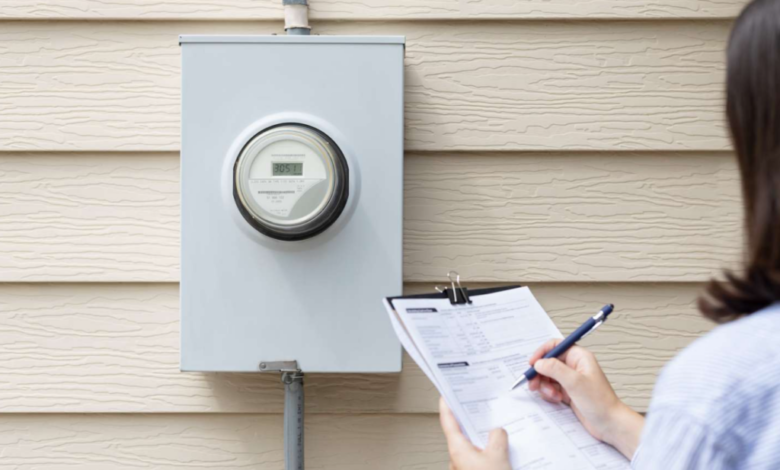
In a house, the meter is usually in a box on an outside wall, on the porch, or in the garage. In an apartment block, the meters are normally grouped together in the basement, the car park, or a cupboard on your floor, labelled by unit number.
Before you read anything, check the serial number printed on the meter against the meter number on your bill. In a block of units it is easy to read a neighbour’s meter by mistake, and a read from the wrong meter will be rejected. The serial number is not the same as your NMI — the NMI identifies your connection, while the meter number identifies the physical meter.
Look before you touch. Watch for spiders, wasps, or anything marked danger or high voltage, and never open a box with a warning on it. If you cannot reach the meter safely, stop and ask your retailer for a special read instead.
What type of meter do you have?
Most homes have one of these:
- Dial (clock-face) meter. A row of small clock-like dials, usually five, that turn in alternating directions. This is the old accumulation meter. It shows a single running total of kilowatt-hours (kWh) and nothing about when you used the power.
- Digital (cyclometer) meter. A row of numbers like a car odometer. Also an accumulation meter — one running total, read left to right.
- Digital basic meter with a display screen. A small screen that cycles through several readings. Common screen numbers are 03 for total energy used, 07 for controlled-load hot water, and 13 for solar exported.
- Smart (interval) meter. A digital meter that records your usage in 5 or 30 minute intervals and sends it to your retailer remotely. You do not need to read it — but you can still check it against your bill.
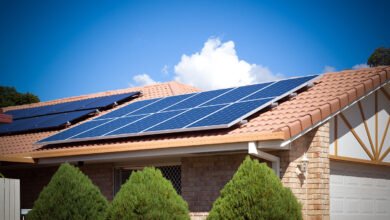
- Solar (bi-directional) meter. If you have rooftop solar, your meter records two things: the power you import from the grid and the power you export back to it on your feed-in tariff.
How to read a dial meter
- Read the dials from left to right, one at a time.
- If a pointer sits between two numbers, write down the lower number. The one exception is between 9 and 0 — write down 9.
- If a pointer sits exactly on a number, look at the dial to its right. If that dial has not passed zero yet, write down the lower number. If it has passed zero, use the number the pointer is on.
- Write down the full reading and the date.
For example, a five-dial meter might read 7-9-8-6-7. That is your total usage in kWh since the meter was installed, not this month’s usage — to find this month’s usage, subtract the reading on your last bill from today’s reading.
How to read a digital meter
- Read the numbers from left to right, exactly as shown.
- Keep the leading zeros. A reading of 04187 is not the same as 4187 — the retailer needs every digit.
- Ignore any digits in red, and ignore anything after a decimal point.
- If the display cycles through screens, press the display button once to move to the next screen. Do not hold the button down — on some meters a long press switches on hot water boost instead of changing the screen.
- Write down every register your bill lists, with its label. On many meters, E1 is general (anytime) usage, E2 is a controlled load such as off-peak hot water, and B1 is solar exported back to the grid.
- Ignore the small two-digit screen number — that just tells you which screen you are looking at, not your usage.
How to read a smart meter
A smart meter is read remotely, so you do not need to take a reading for billing. But it is still worth knowing how to check it.
- Press the display button to cycle through the screens until you find the total-usage register.
- Write down the reading and the date.
- Subtract the reading printed on your last bill. The difference should be close to the kWh your bill charged you for. If it is wildly different, something is wrong — ask your retailer to check the metering data.
Smart meters are on their way to every home. Under a rule made by the Australian Energy Market Commission in November 2024, every customer in the National Electricity Market must have a smart meter by 30 November 2030, and the accelerated rollout started in December 2025. Once your meter is swapped, it is read remotely and the self-read option below no longer applies — so keep a dated photo of your old meter’s final reading on installation day, in case the closing bill is estimated.
How to work out how much power you used
A meter reading is a running total, so one reading on its own tells you very little. The useful number is the difference between two readings.
- Take a reading and write it down with the date.
- Take a second reading later — a week or a month after the first.
- Subtract the first reading from the second. The difference is the kWh you used in between.
For example, if the meter read 41,872 on 1 November and 42,214 on 1 December, you used 342 kWh in that month. If you know your usage rate, you can multiply it out to check the usage charge on your bill. It is also the number you need if you want to compare plans on what you really use — and once you know your real usage and tariff split, you can compare plans properly on the government’s free comparison site, Energy Made Easy.
How to submit a self-read and fix an estimated bill
If your meter is not read remotely, a meter reader visits roughly every quarter. In between — or when the reader cannot get in because of a locked gate or a dog in the yard — your retailer estimates your usage from past bills. That is why a bill can look wrong: a low estimate followed by a real read produces a catch-up bill that looks like a spike, even though your usage never changed.
A self-read fixes that. It is a reading you submit yourself, and your retailer must accept it if you lodge it properly before the due date. Under rule 21(3A) of the National Energy Retail Rules, a basic-meter customer has the right to have an estimated bill replaced with their own read. The rules also require every retailer to publish free, plain-language guidance on how to read your meter and lodge a read, and the adjusted bill must be issued at no extra charge.
- Take a clear photo of the display, with the meter number and the digits both legible, and your phone’s date stamp on.
- Lodge the read the way your retailer asks — most use their app or website, and AGL and Origin both take self-reads through My Account or their app.
- Send the same read and photo to the retailer’s complaints email or web form as well, so you have a dated record.
- Do it before the due date. Origin, for example, adjusts an estimated bill within 5 business days of a valid self-read but can reject late ones, and AGL accepts a read up to two days before the bill date.
If your new read is lower than the estimate, you were overcharged and the adjusted bill drops. If it is higher, you will get a catch-up charge — but the retailer must offer to let you pay it in instalments.
Note that the self-read right does not cover smart meters, because they send interval data remotely. If a smart-meter bill is estimated, ask your retailer to check the metering data or arrange a manual download, then request a bill review.
What if the retailer refuses your read?
If your retailer rejects a self-read, it must tell you the specific reasons in writing, give you a way to fix the read, and point you to a bill review and the energy ombudsman. Common rejection reasons are reading the wrong meter, dropping leading zeros, adding a red digit, sending only one register from a multi-register meter, or lodging after the due date.
If the review does not resolve it, your state energy ombudsman is free and can order the bill corrected. While a review is under way, the retailer can only require you to pay the undisputed part of the bill or your 12-month average, and it cannot disconnect you. The Australian Energy Regulator enforces these rules outside Victoria; Victoria has the same duties in its Energy Retail Code of Practice.
Common mistakes to avoid
- Reading the wrong meter. In a block of units, always match the serial number to your bill first.
- Dropping the leading zeros or adding the red digit. A read that is lower than your last actual read, or ten times higher, will be rejected.
- Sending one register from a multi-register meter. If your bill lists peak, off-peak and solar, send all of them — a bill cannot be adjusted on one register alone.
- A photo without the meter number or date. The retailer can reject a photo that does not show the correct meter clearly.
- Lodging after the due date. The retailer can refuse a late read and wait for the next scheduled read.
- Holding the display button. On some digital meters, a long press switches on hot water boost rather than changing the screen.
Frequently asked questions
Can I submit a self-read for a smart meter?
No. Smart meters send interval data to the retailer remotely, and the National Energy Retail Rules exclude interval-metered electricity from the self-read right. If a smart-meter bill is estimated, ask your retailer to check the metering data or arrange a manual download.
What do E1, E2 and B1 mean on my meter?
They are register labels. E1 is typically general (anytime) usage, E2 is a controlled load such as off-peak hot water, and B1 is solar exported back to the grid. Note the reading against each label when you take a smart-meter reading.
How often is my meter read?
A smart meter is read remotely, often daily, so those homes rarely get estimated bills. An accumulation meter is read by a meter reader roughly every quarter, and if access is blocked the retailer estimates in between. That is when a self-read is worth submitting.
Should I read the meter when I move in or out?
Yes. Always take a photo of the reading with the date on the day you move. It protects you from being charged for the previous or next occupant’s usage.
Do I need a new meter to go on a time-of-use plan?
Generally yes, because only a smart (interval) meter records when you use power, which a time-of-use plan needs. If you still have an old accumulation meter, your retailer can usually arrange a smart-meter upgrade — though it may change your tariff structure once fitted. If you are not sure whether time-of-use would suit you, our guide to when off-peak electricity applies explains the peak and off-peak windows, and our guide to demand tariffs explains the other charge that can appear on a smart-meter bill.