
If you have ever tried to sign in to a government service online, you have probably run into two very similar names: myGov and myID. They sound almost the same, they are both run by the government, and they even used to share a name. No wonder so many people mix them up.
Here is the short version: myGov is the place you go, and myID is the key that lets you in. myGov is the website and app where you access services like Centrelink, Medicare and the ATO in one place. myID is the app on your phone that proves who you are so those services know it is really you. You can read the official explanation on the myGov Digital ID help page.
Quick verdict: myGov vs myID at a glance
These two are not rivals, and you do not pick one over the other. They do different jobs, and most people end up using both. myGov holds your linked services and your messages. myID proves your identity when you sign in. If you only remember one sentence, make it this: you visit myGov, and you prove yourself with myID.
| myGov | myID | |
|---|---|---|
| What it is | An online account and portal for government services | A Digital ID app that proves who you are |
| Where you use it | On the myGov website or in the myGov app | On your phone, as an app |
| What it holds | Your linked services, messages and contact details | Your verified identity, not your services |
| What it does | Lets you deal with Centrelink, Medicare, the ATO and more in one place | Confirms your identity when you sign in to myGov and other services |
| Do you need it? | Yes, if you want online access to those services in one place | Optional, but the most secure way to sign in |
| Cost | Free | Free |
What is myGov?
myGov is a single account that brings government services together. Instead of a separate login for every agency, you sign in once to myGov and reach the services you have linked to it, such as Centrelink, Medicare, Child Support and the ATO. Your myGov inbox also collects letters and messages from those services, so you can check them in one place.
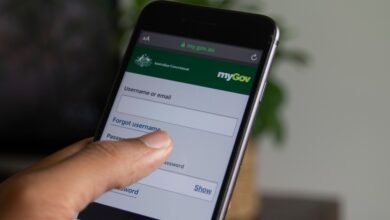
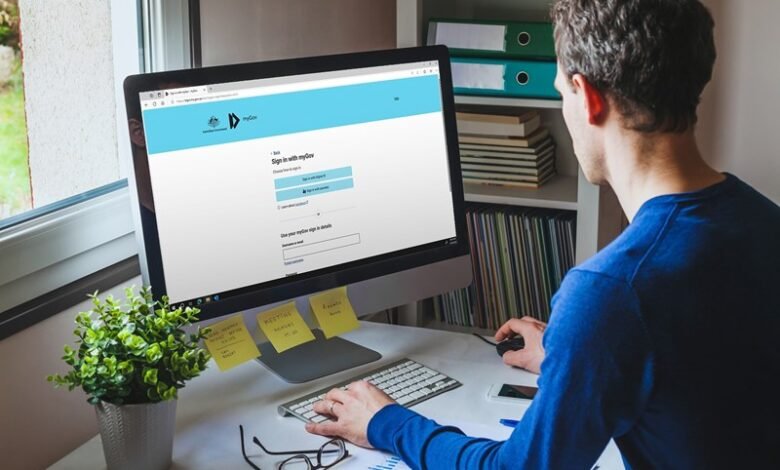
You can use myGov through its website or through the myGov app. You sign in with a username and password, and you can choose to add myID as a sign-in option for extra security. If you are having trouble getting in, our guide on how to fix myGov sign-in problems walks through the common fixes.
What is myID?
myID is the Australian Government’s Digital ID app. Its only job is proving who you are online, so you do not have to send copies of your passport or licence to every service you use. When you sign in with myID, you approve the sign-in in the app on your phone, and only the details the service needs are shared, such as your name and date of birth.
myID used to be called myGovID. The name changed in November 2024 precisely because people kept confusing it with myGov, and the new name makes the split clearer. If you had myGovID, nothing changed for you: your details and identity strength carried over automatically.
myID is not a card you can show in person, and it does not store your services or messages. It also works beyond myGov: it can be used to sign in to more than 150 participating government online services.
How myGov and myID work together
Think of it like a building. myGov is the building, with a different office inside for each service. myID is the security pass that proves you belong there. You can enter the building with a regular key (your myGov username and password), but the security pass is stronger, and some doors inside need it.
Here is how the two fit together in practice:
- You set up a myGov account on the myGov website or app.
- You download the myID app to your phone and verify your identity documents in it.
- You connect myID to your myGov account as a sign-in option.
- From then on, you can approve myGov sign-ins in the myID app instead of typing a password and code.
Connecting the two is optional. You can keep signing in to myGov the traditional way with a username and password if you prefer, but you will miss out on the stronger security and on features like recovering access to your account.
myID identity strengths explained
myID comes in three strengths, and the strength you have decides which services you can reach:
- Basic: you enter your personal details but do not verify identity documents. This only opens a limited number of services, so it is rarely enough on its own.
- Standard: you verify two Australian identity documents, such as a driver licence and a passport, a birth certificate, a Medicare card, or a visa. This is enough for most services, including signing in to myGov, creating a myGov account, and linking Centrelink, Medicare or Child Support.
- Strong: you verify your documents and complete a one-off photo check in the app. This opens all participating services, and it is what you need to recover access to your myGov account if you cannot sign in with your usual details.
For most people, Standard is the practical starting point, and Strong is worth setting up because it is the fallback if you ever get locked out. Note that your identity strength is set per device, so if you use myID on two phones, check both are at the same level.
Who each option suits
Use myGov if you…
- want one login for Centrelink, Medicare, the ATO and other linked services;
- want government letters and messages in one inbox;
- prefer doing government business online instead of by phone or in person.
Set up myID as well if you…
- want the most secure way to sign in to myGov;
- are tired of remembering a separate password and waiting for SMS codes;
- want a way back into your myGov account if you lose access;
- use other government online services that accept Digital ID.
Which is better: myGov or myID?
This is the wrong question, and that is good news: you do not have to choose. myGov without myID still works, and myID without myGov is still useful for other services. But together they are the simplest and safest setup. If you already have a myGov account, adding myID is a small job that makes every future sign-in easier and more secure.
The one exception is if you only ever deal with one agency and never online. In that case, a myGov account alone is fine, and you can skip myID entirely. For everyone else who manages government services online, the pair is the way to go.
Common questions
Is myID the same as myGov?
No. myGov is the portal where you access services. myID is the app that proves your identity. They work together, but they are separate accounts with separate jobs.
Do I need myID to use myGov?
No. You can sign in to myGov with a username and password. But you need at least a Standard myID to use myID as a myGov sign-in option, and a Strong myID to recover a myGov account you cannot sign in to.
Is myGovID gone?
Only the name is gone. myGovID became myID in November 2024. Existing users kept their details and identity strength, and the app updated automatically.
Can I have myGov without a phone?
Yes. myGov works on a computer through its website, and you can sign in without the myID app. The myID app itself needs a compatible smartphone, so it is not an option for everyone.
Where do I start?
Start with myGov, then add myID when you are ready. If you are still setting things up, it helps to know which services you can link to myGov, and to settle the question of whether you can have two myGov accounts before you create anything new.
One last tip: only ever download the myID app from the official App Store or Google Play listing, and only ever sign in to myGov at my.gov.au. Scammers regularly imitate both names, and neither service will ever ask you to “reconfirm” your details through a link in a message.